Imagine having the ability to connect with friends, share ideas, and collaborate on projects without being limited by one platform. As more people look for alternatives to popular apps, it’s time to explore the best Discord alternatives. Whether you’re seeking enhanced privacy, better customization, or simply a different user experience, the options are plentiful.
Discord alternatives are platforms that provide similar communication features, like messaging and voice chat. These platforms help users connect and share ideas. Many offer group chats and voice rooms. Some have video calls, too. This makes them great for teams and friends.
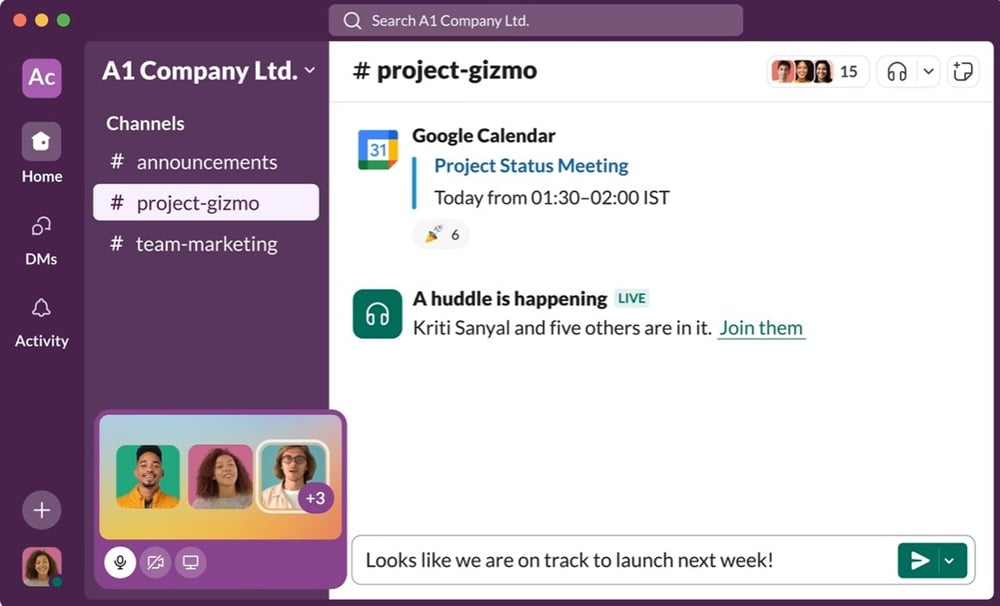
For example, platforms like Slack are used for work. They focus on team chats. Users can share files and set tasks. This helps keep work on track. Another option is Microsoft Teams. It is good for work and school. It has chat, calls, and file sharing.
Many users seek better ways to chat online. They want privacy and control. Some platforms focus on games, such as Guilded. It has tools for gamers, like event scheduling. Others, like Telegram, focus on fast messaging. They keep chats secure and private.
When choosing a platform, think about your needs. Do you want video calls or just text? Look for features that fit your style. Make sure the platform has a good user base. This helps with finding friends or team members.
Discord alternatives are tools that serve similar needs. These apps help users chat and connect online. Many offer unique features to enhance user experience. Some focus on voice chat, while others prioritize text chat. You can choose based on what suits you best.
ADVERTISEMENT
Top Discord Alternatives List
Quick Navigation
1. Slack
Pros
Integrates with many apps; great for teams
Stands out among Discord alternatives
User-friendly interface
Works for work or casual chats
Create channels for each group to keep things organized
Very helpful for teams
Easy file and link sharing
Cons
Can be overwhelming for casual users
Steeper learning curve for new users
Feature-rich experience may feel like too much
May be less fun for simple chatting
Best suited to teams needing work tools
Availability
Web, iOS, Android, Desktop. You can use Slack on most devices, which makes it easy to chat on the go or at home. Switching between devices is seamless, making it a strong choice for active teams.
Pricing
Free with limitations; paid plans start at $6.67/month. The free plan suits small teams with access to basic features. Paid plans add more tools and support, so you can choose a plan that fits your needs.
Review
When I used Slack, I found it very useful for keeping work chats and files in one place. Teams that set up clear channels work better and find what they need fast, which is key to strong collaboration.
Many teams now use Slack, and studies show it can boost team output by over 20%. This helps explain why it’s a top choice among Discord alternatives. If you want a tool that supports teamwork, it’s worth a try.
2. Microsoft Teams
Pros
Excellent for business use; integrates with Office tools
Helps teams work well together
Chat, meetings, and file sharing in one place
Great choice for remote work
Trusted by many firms for strong features
Cons
Can be complex for new users
Users may feel lost at first
Layout has many buttons and tabs
May take time to learn
Challenging for those who are not tech-savvy
Availability
Web, iOS, Android, Desktop. You can access it from any device, making it easy to stay connected and join meetings or chats on the go.
Pricing
Free with limited features; paid plans start at $5/month. The free plan is a good start for small teams with basic tools. Paid plans add more storage and features, making them worth it for larger groups.
Reviews
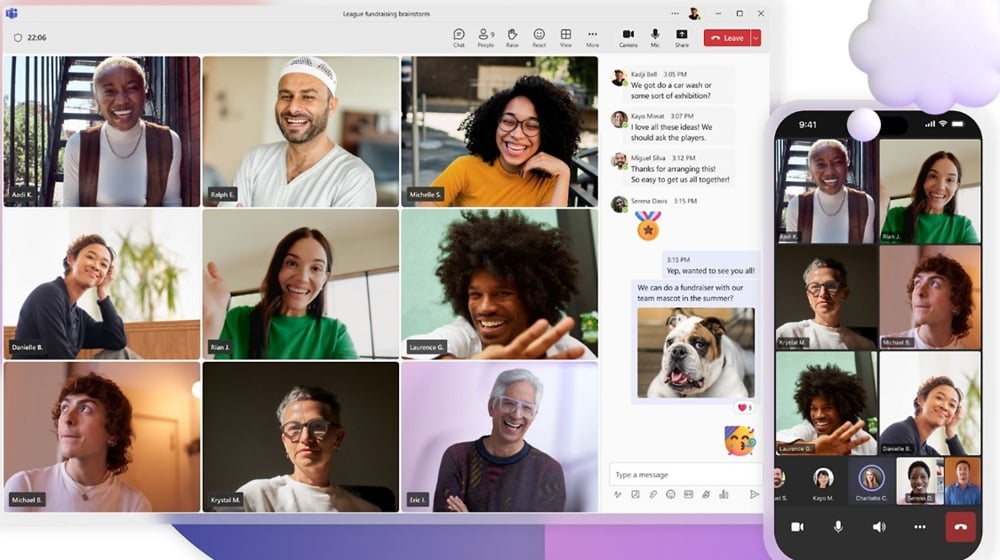
Many users find Microsoft Teams helpful for teamwork with features that support group tasks. For example, you can schedule meetings right in the app, which keeps everyone on the same page.
Many firms use Teams for its strong links with other Microsoft tools, making it easy to share data and files. If your team uses Office software, Teams may be the best fit. Many find it cuts down on email and boosts real-time chat. In a case study by Gartner, firms that use Teams saw a 20% rise in teamwork, highlighting the impact of choosing the right tool.
3. Zoom
Pros
High-quality video calls; easy to use
Great for video chats
Screen sharing and whiteboard tools
Helps users share ideas fast
Widely used by teams for work
Clear, reliable meetings
Simple layout
Quick learning curve for new users
Cons
Limited chat features compared to Discord
Chat tool is not as strong
Lacks some fun tools found in Discord
Missing bots and threads
Primarily focused on calls, not chats
Some users choose other tools for richer chat
Availability
Web, iOS, Android, Desktop. Zoom works on almost all devices—phones, tablets, and computers—which makes access easy wherever you are.
Pricing
Free for 40-minute calls; paid plans start at $14.99/month. The free plan is great for small chats or quick calls. Paid plans offer longer meetings and more tools, which many users find worth the cost.
Reviews
Zoom fits many needs—work, school, and personal catch-ups—making it a solid Discord alternative if seeing faces matters to you.
Over the years, Zoom’s ease of use has driven adoption across firms for meetings and webinars. User data shows high satisfaction, and reports note very large daily usage. If you need robust calling and video first, Zoom shines. If richer chat features are essential, many pair Zoom for calls with Discord for chat.
4. Telegram
Pros
Strong privacy features; large group support
Chat with many friends at once
Helps build big online groups
Good choice for teams
Cons
Fewer bots compared to Discord
Bots add fun and tools
Limited bot options can restrict some tasks
Availability
Web, iOS, Android, Desktop. You can use it on most devices, which means you can reach friends anywhere.
Pricing
Free. No costs to use it, making it easy for all to join.
Reviews
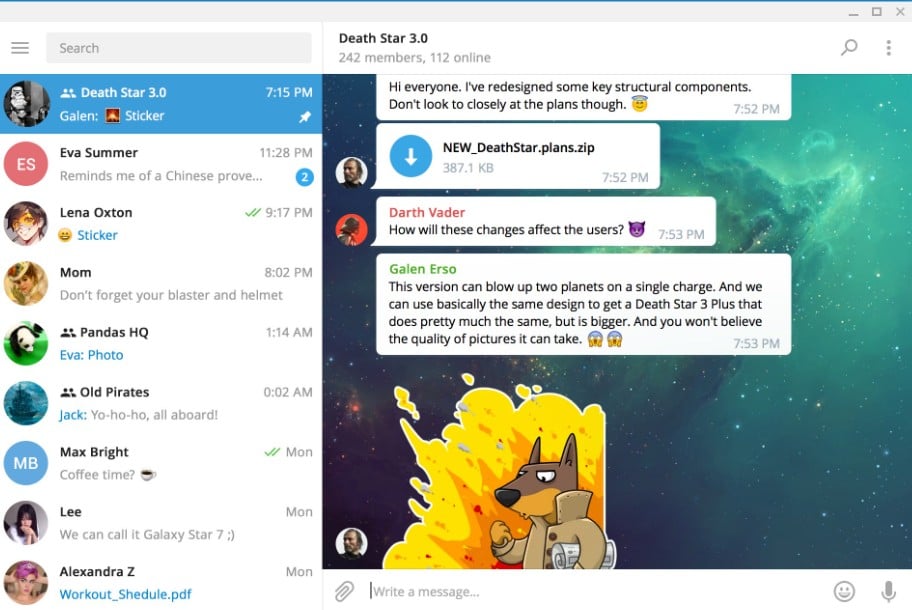
Telegram has over 500 million users, showing it is a strong choice. Many people use it for chats and groups, and it works well in big teams. Members can share files and ideas fast, helping keep projects on track. As a Discord alternative, Telegram fits many needs.
5. TeamSpeak
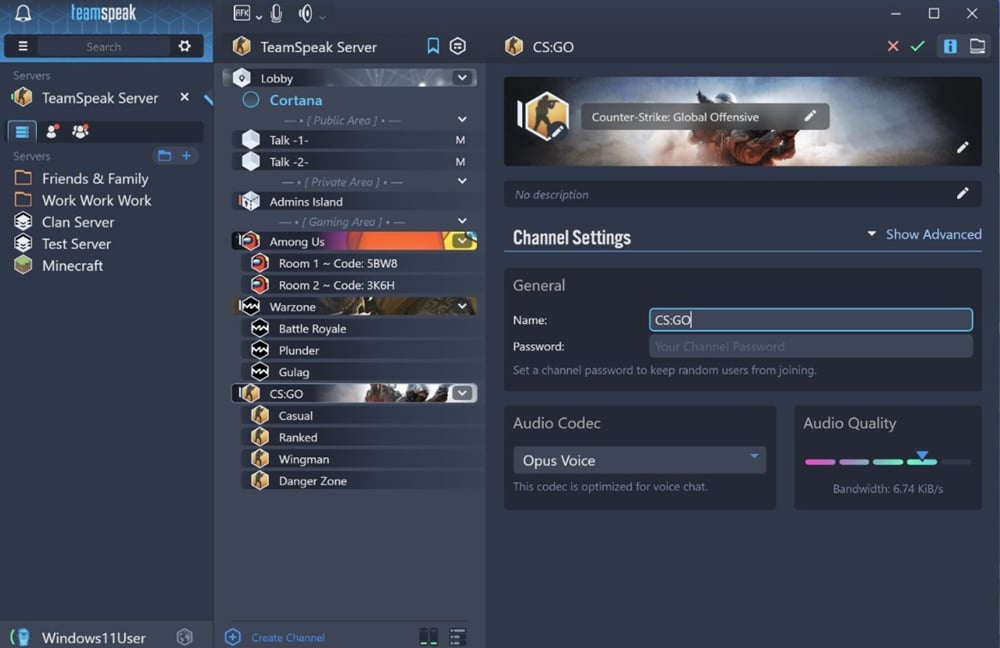
TeamSpeak stands out for its low latency, making voice chat clear and smooth. It’s great for fast-paced games where users need quick, reliable audio—one reason TeamSpeak remains a top pick. Many gamers prefer TeamSpeak for its deep customization, letting you set your own rules and tailor the experience to your needs.
Pros
Low-latency voice chat; customizable
Set things up exactly how you want
Create your own channels
Great for organized teams or groups
Cons
Outdated interface
Look and feel may not appeal to everyone
Some users may find it harder to use
Availability
Web, iOS, Android, Desktop. You can access it on most devices, making it easy to join a chat from anywhere.
Pricing
Free with limitations; paid servers available. The free plan works for small groups. If you need more capacity and control, you can pay for a server.
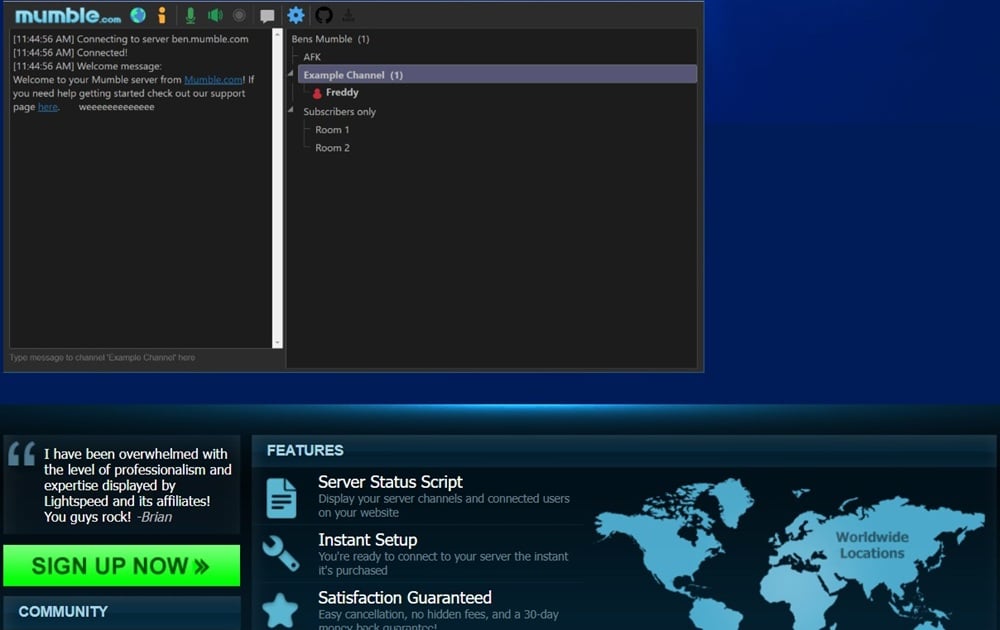
6. Mumble
Many gamers use Mumble for team play because the audio is clear and responsive. You can hear each other well, which is key for planning and fast decision-making. Groups also use it for events, and the low latency helps keep chat crisp and coordinated—one reason Mumble remains a top choice among Discord alternatives.
Pros
Open-source and low-latency (fast voice chat)
Works well for gamers and scrims
Widely praised for strong sound quality
Cons
Complex setup process
Can be hard for new users
Takes time to learn
Requires some technical skills
Availability
Web, iOS, Android, Desktop. You can use it on many devices, making it easy to reach friends and teammates wherever you are.
Pricing
Free. That’s a big plus for users and communities looking to keep costs down.
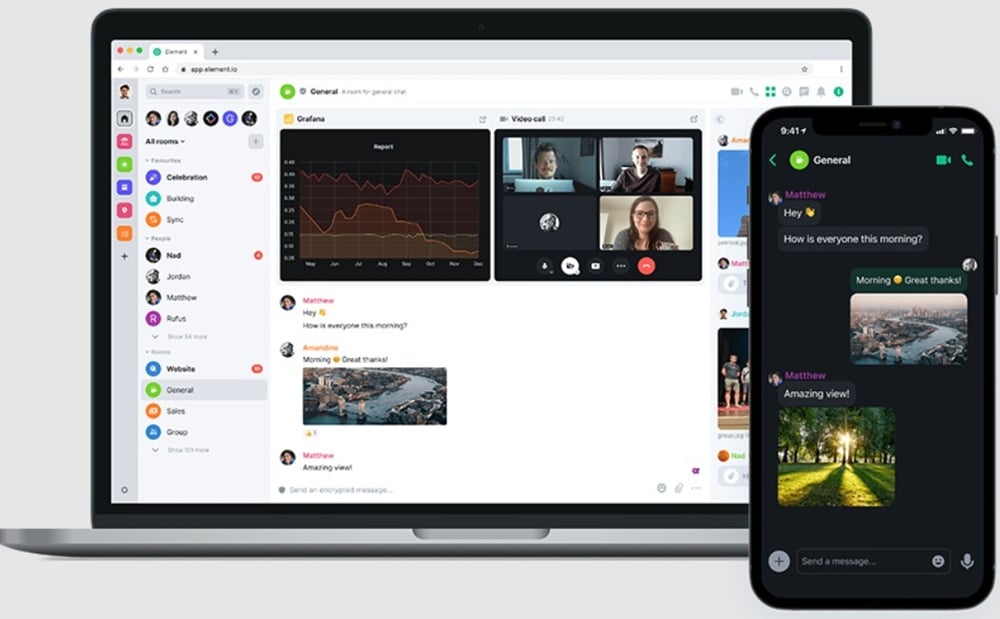
7. Riot.im (Element)
The platform offers strong support for group chats. You can join large rooms or create your own, which is why many teams use it for work. Some users also prefer it for gaming chats, making it a strong choice among Discord alternatives that fits many needs.
Many users like the open-source aspect. This means anyone can help improve it, leading to quick fixes and steady progress. Bugs get addressed fast and the community helps shape its growth—an ongoing advantage.
Features
Standout video call feature for clear meeting chats
Reliable for remote teams that need stable calls
Screen sharing for demos and collaborative work
Pros
Decentralized and privacy-focused
Gives you control over your data and chats
Security-minded users feel more confident
Cons
Learning curve for new users
Initial setup can feel complex
Some may switch to other Discord alternatives due to onboarding friction
Availability
Web, iOS, Android, Desktop. You can access it from many devices, which makes it easy to stay in touch wherever you are.
Pricing
Free, with premium features available. You can start with the base service at no cost.
Why Choose Riot.im?
If you want control and privacy, Element (formerly Riot.im) is a strong pick. It’s ideal for users who value their data and want ownership over their communications. Teams can grow and collaborate confidently while keeping chats safe.
8. Gitter
Many tech teams prefer Gitter for its ease of use. It helps them stay linked with code and tasks. When teams use GitHub, Gitter feels like home. Many teams report faster collaboration with Gitter, which is why they stick to it.
Pros
Great for developers
Strong ties with GitHub for easy code sharing
Popular for project-focused chats
Real-time visibility of changes
Helps teams coordinate and ship faster
Cons
Limited features for non-tech users
May not suit general or social groups
Not designed for casual, “fun-first” chatting
Availability
Web, iOS, Android. Easy to stay connected and chat on the go.
Pricing
Free to use.
Key Features of Gitter
Clean, focused interface that makes rooms easy to navigate
Create dedicated rooms per project to keep conversations clear
Room-level rules and moderation to match team workflows
Deep GitHub repo linking for quick references and updates
Who Should Use Gitter?
Gitter fits best for developer and engineering groups. It’s not the ideal choice for gamers or casual communities. If you want a tool centered on code, issues, and task collaboration, Gitter stands out among Discord alternatives.
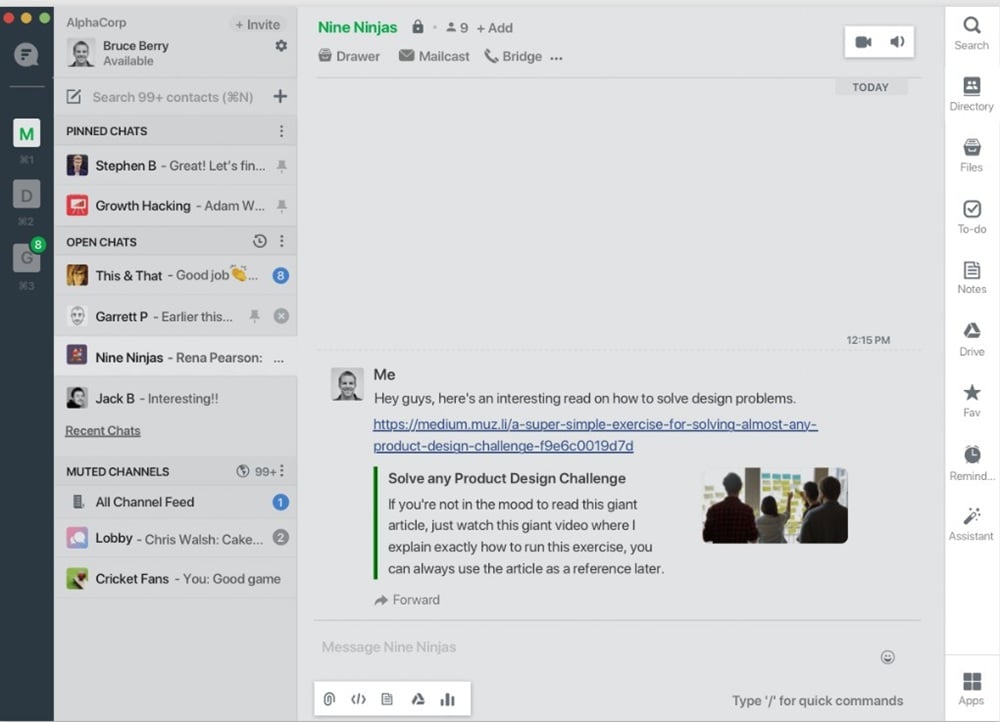
9. Flock
Pros
Simple interface; good for teams—easy to use
Helps teams collaborate smoothly
Clear, user-friendly layout
Effortless chat and file sharing
Cons
Fewer integrations than some competitors
May feel limiting for certain workflows
Lacks a few advanced tools larger teams might expect
Availability
Web, iOS, Android, Desktop. You can use Flock on many devices, so staying in touch anywhere is straightforward.
Pricing
Free, with paid plans starting at $4.50/month. The free plan is a solid start; paid tiers add more features as your team grows.
Reviews
In practical use, Flock’s responsive chat keeps teams aligned. Quick replies help resolve issues fast and maintain project momentum—ideal for teams seeking a clean, focused chat space.
As team chat adoption accelerates, many look for Discord alternatives that are simple yet effective. Flock meets this need with a work-first approach, balancing ease and function for everyday collaboration.
10. Discord (Self-hosted)
Using Discord alternatives like a self-hosted Discord setup can be great for users who want control. You can set rules, manage users, and create a space tailored to your needs. You can also add new features as you wish.
It helps to have some technical skills. You’ll need to set up the server and keep it running. This may feel challenging at first, but many online guides can help, and you’ll find plenty of tips on sites like GitHub.
Self-hosting can save money over time because you’re using your own infrastructure instead of paying for a hosted service. This is a big plus for groups that need a private chat space.
Some users prefer easy-to-use Discord alternatives. Options like Slack and Microsoft Teams offer simple setups and user-friendly tools for chat and collaboration—ideal for teams without dedicated tech support.
Pros
Full control over features
Cons
Requires technical knowledge to set up and maintain
Availability
Web, iOS, Android, Desktop.
Pricing
Free.
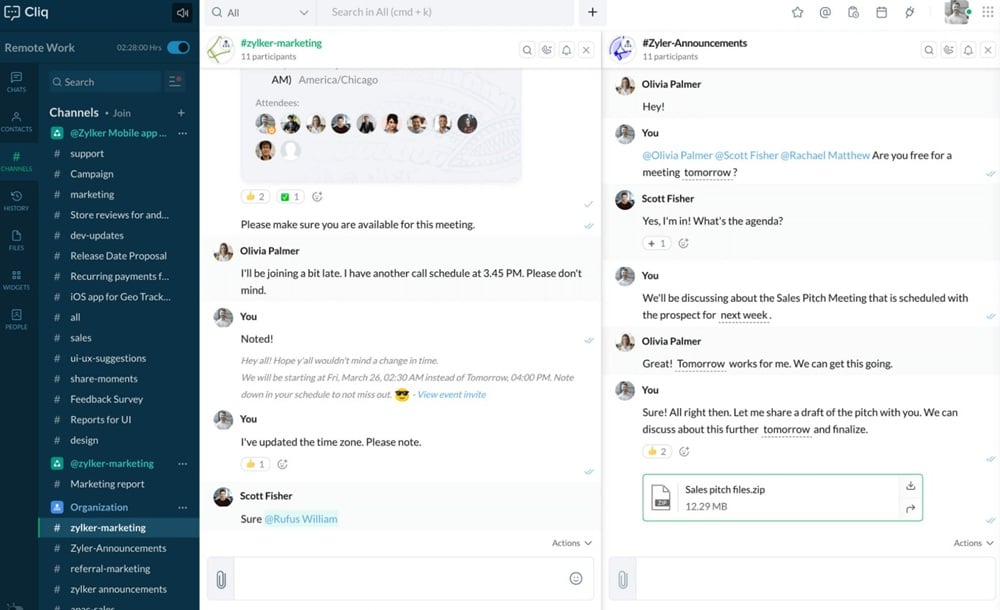
11. Zoho Chat
For users exploring Discord alternatives, Zoho Chat offers a straightforward way to communicate. Ease of use is its standout trait, helping teams get set up fast—crucial when quick access matters. Many users report smoother workflows after adopting it.
In practice, teams thrive with tools that fit their stack. For example, a small firm leveraging Zoho apps adopted Zoho Chat and appreciated the seamless workflow across products. Well-fitting tools can lift team output, which is why picking the right chat platform is so important.
Pros
Tight integration with Zoho apps; user-friendly
Clean interface that makes content easy to find
Fast chat that works well across devices
Switch between apps without losing conversation flow
Cons
Fewer advanced features than some competitors
May not meet the needs of large, complex teams
Lacks certain power-user functions found in top chat suites
Availability
Web, iOS, Android, Desktop. Use it on any device and stay in sync—start a chat on your phone and continue at your desk with smooth handoff.
Pricing
Free, with paid plans starting at $1/user/month. The low cost is friendly to small teams—try the free tier first to see if it fits your needs.
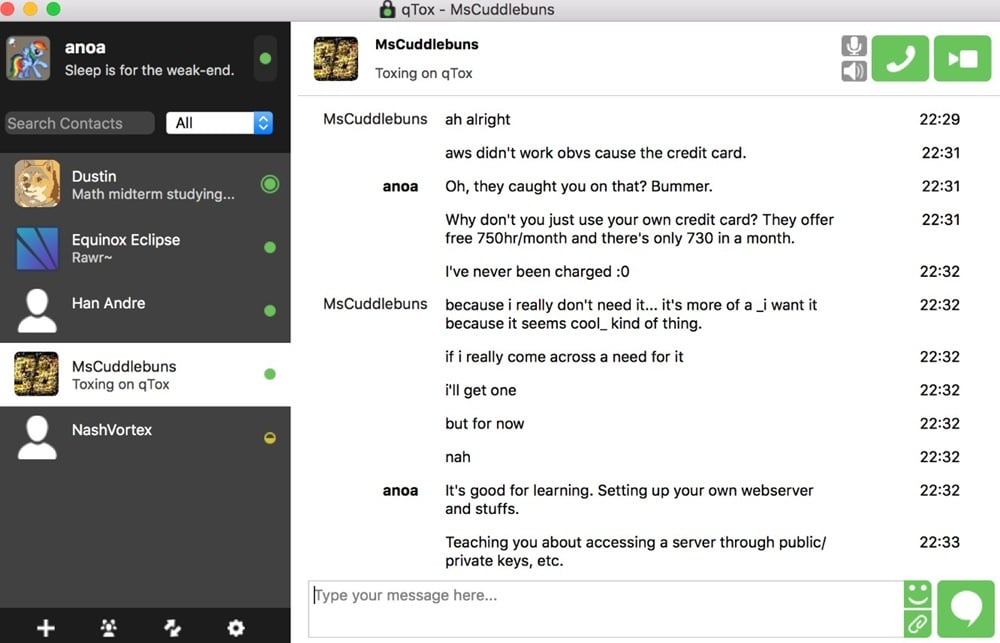
12. Tox
With Tox, you get secure chat powered by end-to-end encryption, so only you and your recipient can read messages. Many privacy-focused users consider it a compelling Discord alternative. It works best for small groups, while very large rooms can be harder to manage.
Pros
Peer-to-peer architecture with no central servers
Direct messaging and file sharing without intermediaries
Strong privacy benefits thanks to end-to-end encryption
Cons
Can feel slower at times, especially with high usage
Less suited to very large communities
Availability
Web, iOS, Android, Desktop. Works across devices so you can chat from your phone or laptop.
Pricing
Free. All features are available at no cost, which makes Tox attractive for privacy-minded users and small teams.
13. WhatsApp
Many people use WhatsApp daily—it’s one of the most popular apps worldwide with over 2 billion users, reflecting strong value and wide reach. End-to-end encryption keeps chats private, which appeals to security-minded users.
For groups, WhatsApp offers handy tools: share files, links, and even your location to stay coordinated. While it lacks some advanced video features, it remains a solid choice for quick team chats and lightweight collaboration.
Pros
Excellent for messaging; easy to use
Great for text chats with voice notes and images
Works reliably across devices
Cons
Limited group video options
Video calls may feel too small for larger teams
Availability
Web, iOS, Android. Use it on your phone or through the web to keep conversations moving anywhere.
Pricing
Free. There are no costs to use WhatsApp, which is a major draw for many users.
14. Viber
Many users explore Discord alternatives to find the right fit. Viber stands out for its call quality—excellent for voice chats and video calls. The app is user-friendly and quick to set up, so you can get started in minutes.
That said, Viber lacks some of Discord’s community tools. If you’re building a large group with channels and richer moderation, Discord may be the better choice for organization and scale.
Pros
Free calls; great for international use
Text, voice, and video in one app
Easy onboarding and simple interface
Cons
Less popular than some competitors
Fewer friends may already be on Viber
Community features not as robust as Discord
Availability
Web, iOS, Android. Use Viber across devices and switch from phone to computer without friction.
Pricing
Free. Calls and texts don’t incur charges, which is appealing for budget-conscious users.
Real User Feedback
Many users praise Viber for clear audio quality. It performs well even on slower networks and is reliable for international calls. On the other hand, some wish for more playful features—stickers, mini-apps, and community tools—similar to what Discord offers. If you prioritize calling quality and simplicity, Viber is a strong contender.
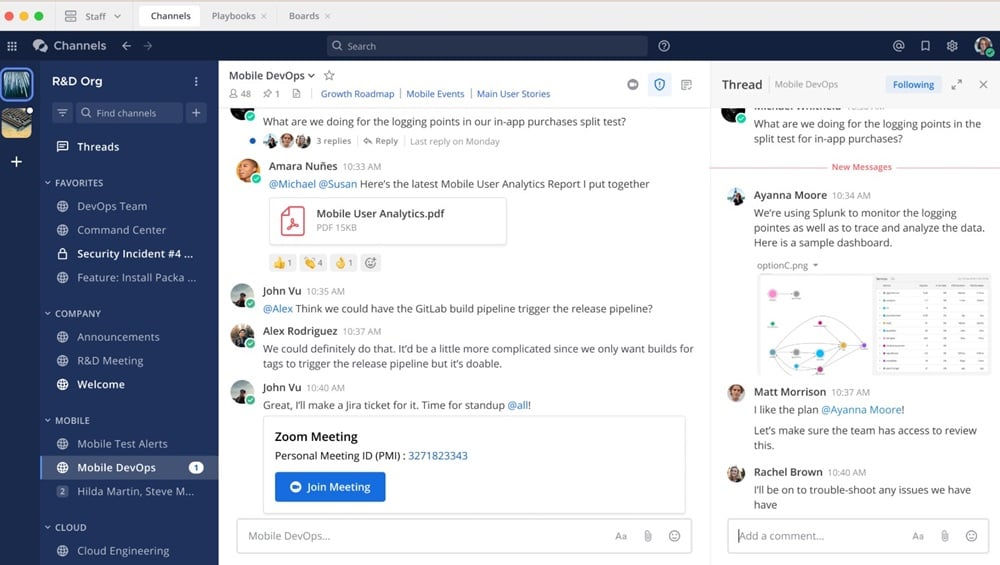
15. Mattermost
Pros
Self-hosted option; strong for teams
Full control over data and compliance
Set your own rules, roles, and retention
Great fit for privacy-focused organizations
Cons
Learning curve during setup
Initial configuration can feel complex
Time investment needed to master all tools
Availability
Web, iOS, Android, Desktop. Use it on any device to stay connected across your team.
Pricing
Free, with paid plans starting at $10/user/month. Many teams find the added control and features worth the cost.
Why Choose Mattermost as a Discord Alternative?
Mattermost gives you deployment flexibility and ownership. You can host your own server, define access, and align workflows with security policies. For teams with strict requirements, it provides a safe, customizable environment for chat and collaboration—putting you in control while keeping communications organized and compliant.
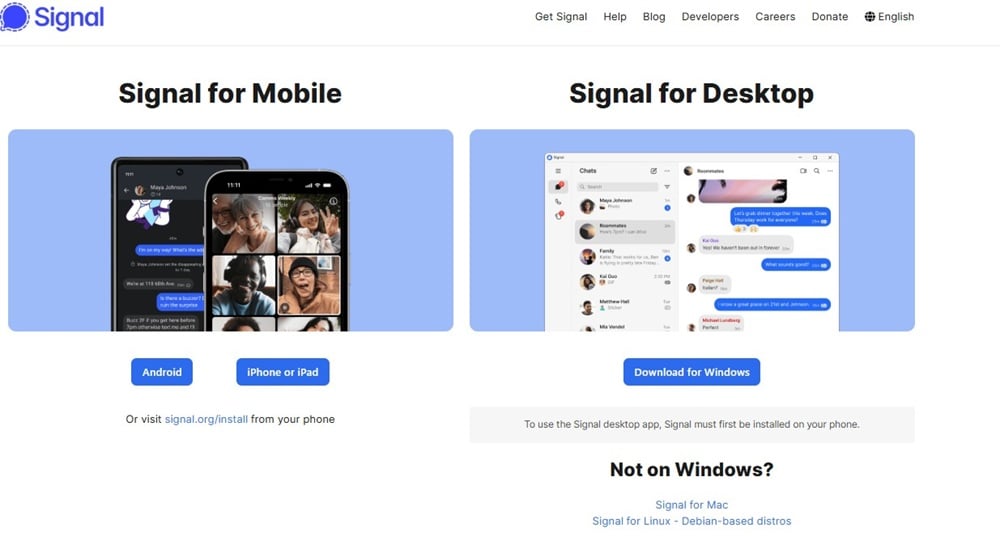
16. Signal
Signal is one of the best Discord alternatives. It offers end-to-end encryption, which keeps your messages safe from prying eyes. Many use it for personal chats, and some for work as well—it’s trusted widely for its privacy-first approach.
Pros
Strong privacy features and encrypted messaging
Keeps chats and calls private—great for security-conscious users
Cons
Less group functionality compared to community platforms
Not ideal for very large teams or communities
Availability
Web, iOS, Android. Use it across devices with reliable sync.
Pricing
Free. No hidden costs.
Usability and Features
Signal’s interface is simple and clean, making it easy to start a chat or call. It supports voice and video calls, which suits individuals and small groups. However, it doesn’t handle very large group chats as well as some other platforms, which can limit use for bigger teams.
Privacy and Security
Privacy is at Signal’s core. It doesn’t store user data, doesn’t show ads, and doesn’t sell data. That commitment earns user trust—if you want a safe chat app with end-to-end encryption, Signal is a strong choice.
17. Clubhouse
Pros
Unique audio-based format with a social networking vibe. Clubhouse stands out among Discord alternatives by letting users join live audio rooms that feel like talk shows—speak or listen in real time for a fresh, engaging experience.
Cons
Limited to audio (no video)
No native text chat
Voice-first focus may not fit every use case
Availability
iOS, Android. Easy to download and start using right away; designed for a broad range of users.
Pricing
Free. Join and participate in rooms at no cost, which has helped fuel growth.
Key Features of Clubhouse
Create your own rooms for groups, events, and live discussions
Choose public or private rooms for flexibility
Follow favorite speakers to stay on top of hot topics
Learn in real time from experts and communities
User Engagement and Growth
Clubhouse has seen rapid adoption as people embrace live, voice-first conversations. Reports have highlighted surges in user growth within short periods, signaling demand for real-time audio spaces and making it a compelling option among Discord alternatives.
18. Facebook Groups
Facebook Groups are a popular Discord alternative. They support real-time chats and posts, and you can share files and links—useful for coordinating projects and keeping conversations organized.
Groups often center on specific hobbies or causes, making it easy to find like-minded communities—whether that’s book clubs, local meetups, or professional niches.
Pros
Large user base; easy to use
Discover groups on almost any topic
Connect, share ideas, and meet new people
Public or private groups for flexible visibility
Cons
Privacy concerns related to data usage
Some users feel uneasy about information handling
Requires careful review of group and privacy settings
Availability
Web, iOS, Android. Stay in touch across devices and post from your phone or laptop.
Pricing
Free. Join as many groups as you like at no cost.
19. MeetUp
Pros
Great for organizing events and bringing people together
Find groups with shared interests—ideal for niche topics
Easy to use; helps people connect quickly
Cons
Primarily focused on event planning
Lacks built-in real-time chat features
Some users may prefer Discord-like community tools
Availability
Web, iOS, Android. Works well across devices—you can plan and manage events straight from your phone to stay in touch on the go.
Pricing
Free, with paid features available. The free plan suits many users, while paid tiers add extra tools for event hosts, especially helpful for larger gatherings.
20. Discord Forks
Pros
There are many Discord alternatives to choose from
Each fork offers unique features
Gives users a chance to find the best fit
Cons
Quality varies widely between forks
Some may lack key features users want
Others may be harder to use or contain bugs
Availability
Each fork has its own release schedule and distribution. Some may be harder to discover. Check the project’s main site or your app store for details.
There are many options out there. Some of the most popular Discord alternatives include Slack, Teams, and Telegram. Each one has its own strong points. For instance, Slack is great for work chat. It has a clean look and easy tools. Teams works well for office use. It offers good video chat and file sharing capabilities. Telegram is known for its strong privacy features. It is fast and has large group chats. This is why many choose it.
Some people want more privacy. Others need better tools for work. Discord is fun, but may not fit all needs. It is wise to think about what you want. For example, if you need good file sharing, pick a tool that does this well. If you want to talk with a big group, find a tool that supports this.
Yes, many platforms offer free plans. For example, Slack has a free version. Teams also has a free tier. Telegram is free for all users. These free plans have limits, but can still work well. They allow you to test the tools first. You can see if they meet your needs.
Start by listing what you need. Think about group size and features. If you need great file tools, focus on that. Check user reviews for real feedback. Each platform has strengths. It helps to know what others think. Use your own needs to guide your choice. This is key to finding the right fit.
Did You Find This Post Helpful?
[kkstarratings]
Recent Product Reviews
UFO.Hosting
BeginDot Score | 93%
UFO.Hosting is a modern, affordable web hosting service....