
The modern digital landscape is a vibrant, shifting canvas. Today, we live in a brand-new creative Renaissance. Every person now holds a powerful digital printing press. However, raw talent is rarely enough on its own. You truly need the best content creation tools to shine. These instruments transform fleeting ideas into tangible, lasting art. They help you navigate the vast, noisy digital ocean.
Without the right gear, your voice may vanish. Creative block is a formidable enemy for many artists. Thankfully, technology offers us a magnificent helping hand. In this guide, we explore the finest software available. We will analyze the best tools for content creators today. Is your creative arsenal ready for the coming year? Let us examine the platforms that define this era. The future of media is interactive and incredibly fast.
The Essence of Digital Craftsmanship
Why do certain creators thrive while others merely struggle? The secret often lies in their chosen technical stack. High-quality output requires precision and a clear vision. The best content creation tools provide this necessary edge. They remove the friction between thought and final execution.
Think of a painter choosing the perfect brush. A dull tool will always yield a dull result. In contrast, sharp tools allow for breathtaking, vivid detail. We have curated a list of twenty essential platforms. These are widely considered the best tools for content creators. They cover everything from video editing to strategic planning. Let us begin this journey into creative excellence.
The Pillars of a Great Creative Stack
- Visual Design: Tools that make your brand look stunning.
- Written Word: Platforms that sharpen your unique narrative voice.
- Video Production: Software that brings your stories to life.
- Strategic Growth: Apps that help you reach your audience.
The Benefits of AI Content Creation Tools
Artificial intelligence has completely reshaped the media world. It offers capabilities that seemed impossible years ago. Integrating AI into your workflow provides massive advantages. Here are six primary benefits of these systems.
1. Unmatched Efficiency and Operational Speed
Time is the most valuable asset for creators. AI tools can generate drafts in mere seconds. They automate repetitive tasks, such as video subtitling, today. This allows you to produce much more content. Increased output leads to faster audience growth cycles. Speed is a vital competitive edge in 2026.
2. Overcoming the Dreaded Creative Block
Every artist faces a blank page at times. AI acts as a powerful brainstorming partner. It suggests headlines, topics, and visual concepts easily. You never have to start from zero again. This spark of inspiration is often quite transformative. It keeps your creative momentum moving forward consistently.
3. Significant Cost-Effectiveness for Small Teams
Hiring a large staff is very expensive. AI tools perform the work of several people. One app can handle writing, editing, and design. This saves thousands of dollars in monthly overhead. Small creators can now compete with large corporations. Technology has leveled the global playing field forever.
4. Seamless Scalability Across Multiple Platforms
Repurposing content is essential for digital broad reach. AI can turn one video into ten posts. It adapts your message for various social channels. This ensures a consistent brand presence across all online channels. You can scale your influence without extra effort. Reach more people with the same core ideas.
5. Hyper-Personalization for Target Audiences
Data-driven AI understands what people actually want. It helps you tailor content to specific demographics. Personalized messages resonate more deeply with your viewers. This builds stronger, more authentic connections over time. Engagement rates often skyrocket with personalized digital strategies. Trust is built through relevant and helpful content.
6. Data-Driven Insights and Strategic Optimization
AI quickly analyzes vast amounts of performance data. It tells you which colors or words work. This removes the guesswork from your creative strategy. You can optimize your work for maximum visibility. Informed decisions lead to much more sustainable growth. Let the data guide your artistic path forward.
25 Best Content Creation Tools for Creators
Selecting the right software is a critical decision. We have vetted the twenty most effective platforms. These are the best content creation tools available. Let us examine each tool in great detail.
1. Canva: The Design Democratizer
Canva has truly changed how we view graphic design. It is arguably among the best content creation tools ever. Its interface is remarkably intuitive for most beginners. You can create stunning social posts in minutes today. It offers thousands of professionally designed, elegant templates.
These templates provide a solid, reliable foundation for projects. You don’t need a degree to look professional. Canva’s “magic” AI features are also quite impressive now. They allow you to remove backgrounds with one click. It remains one of the best tools for content creators. Whether you need a logo or a presentation, Canva delivers.
Key Features:
- Magic Switch for instant multi-platform resizing.
- Generative AI tools for text-to-image creation.
- Extensive brand kits for maintaining visual consistency.
- Real-time team collaboration on live design canvases.
Pros:
- Extremely shallow learning curve for total beginners.
- Massive library of stock photos and elements.
- Browser-based functionality requires no heavy software downloads.
Cons:
- Advanced designers may find the tools somewhat limiting.
- Offline editing capabilities are currently quite restricted.
Pricing: Free version; Pro is $120/year; Teams is $300/year.
2. Jasper AI: The Engine of Rapid Ideation

Sometimes, the cursor just blinks on a blank page. This is the dreaded nightmare of every single writer. Jasper AI helps you break through this mental wall. It uses advanced models to generate high-quality text drafts. Many believe it is among the best content creation tools.
It can write blog posts, emails, and social captions. You provide a prompt, and it provides the magic. However, always remember to add your unique human touch. AI is a powerful co-pilot, not the actual pilot. It is one of the best tools for content creators seeking speed.
Key Features:
- Over 50 specialized templates for diverse niches.
- Surfer SEO integration for optimized search rankings.
- Art generator to accompany your written blog posts.
- Campaign workflows to create multi-channel marketing assets.
Pros:
- Significantly reduces the time spent on first drafts.
- Excellent at maintaining a specific, customized brand tone.
- Multilingual support for over thirty global languages.
Cons:
- Requires a higher monthly investment than basic tools.
- Output occasionally requires careful human fact-checking efforts.
Pricing: Creator plan starts at $39 per month.
3. Grammarly: The Guardian of the Written Word

Writing is the foundation of almost all digital content. Even a video starts with a well-crafted script. Grammarly acts as a silent, intelligent digital editor. It catches embarrassing typos before your audience sees them. This makes it one of the best content creation tools.
It also helps you adjust your specific writing tone. Do you want to sound formal or friendly? Grammarly provides real-time suggestions to match your goals. It ensures your message is clear and very concise. Good writing builds deep trust with your loyal readers.
Key Features:
- Real-time tone detection for emotional resonance.
- Comprehensive plagiarism checker for academic or blog work.
- Context-specific vocabulary enhancements to improve flow.
- Direct integration with Google Docs and Microsoft Word.
Pros:
- Highly accurate suggestions based on advanced AI logic.
- Cloud-based syncing keeps your preferences active everywhere.
- User-friendly interface that stays out of your way.
Cons:
- The most useful features are behind the paywall.
- Can occasionally struggle with very creative, non-standard prose.
Pricing: Free; Premium starts at $12.00 per month.
4. CapCut: The King of Short-Form Video
TikTok and Reels have changed the media landscape forever. These platforms demand fast-paced and highly engaging video content. CapCut is the perfect companion for this specific trend. It offers trendy filters and very easy-to-use transitions. This makes it one of the best content creation tools.
The mobile app is surprisingly powerful and quite stable. You can edit an entire viral video on a bus. It includes a massive library of popular, trending music. This helps your content stay relevant in the algorithm. CapCut has made video editing accessible to everyone.
Key Features:
- Automated captions with incredibly high speech-to-text accuracy.
- One-tap background removal for creative green-screen effects.
- Keyframe animation for smooth and dynamic visual motion.
- Extensive library of trending music and sound effects.
Pros:
- Perfectly optimized for mobile-first social media formats.
- The completely free version is surprisingly powerful and robust.
- Very fast rendering speeds, even on older smartphones.
Cons:
- Advanced desktop editors may find the timeline limiting.
- Privacy concerns occasionally arise due to the parent company.
Pricing: Free; Pro version for $7.99 per month.
5. Adobe Firefly: Ethical Generative Art
Adobe Firefly brings generative AI to professional design. It is one of the best tools for content creators. You can edit photos using simple text prompts. It integrates perfectly with the entire Creative Cloud.
Key Features:
- Generative Fill to add or remove objects instantly.
- Text-to-Vector tools for infinitely scalable graphic logos.
- Advanced text effects for unique, eye-catching typography.
- Seamless integration with Photoshop and Adobe Illustrator.
Pros:
- Professional-grade output suitable for high-end commercial use.
- Safe for business use with legal indemnity features.
- Familiar interface for long-term Adobe Creative Cloud users.
Cons:
- Requires a subscription to the Adobe ecosystem.
- The web interface can sometimes feel slightly sluggish.
Pricing: Included in Creative Cloud ($59.99/mo) or standalone.
6. ChatGPT: The Cognitive Swiss Army Knife
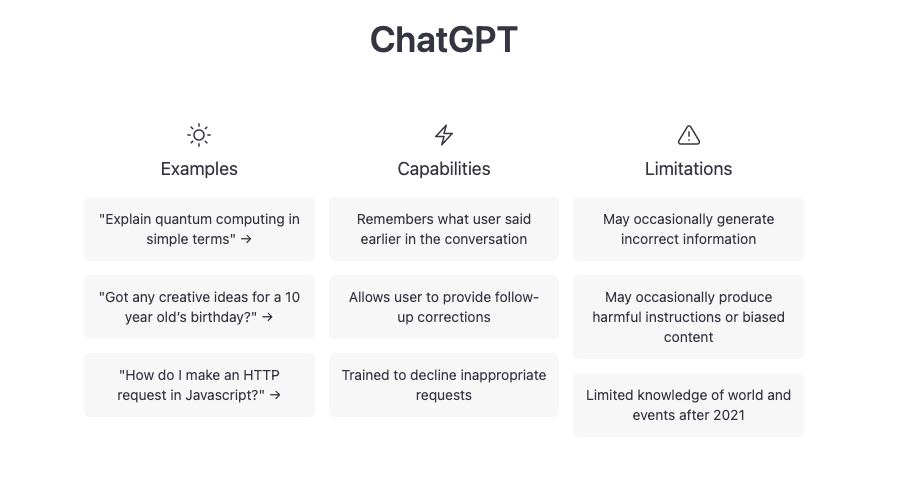
OpenAI has redefined the entire digital creative landscape. ChatGPT is arguably the most versatile of the best content creation tools. It assists with everything from coding to poetic scripts. Its latest models exhibit a profound understanding of context.
Key Features:
- Custom GPTs tailored for specific creative workflows.
- DALL-E 3 integration for instant visual concept generation.
- Voice mode for hands-free brainstorming and ideation.
- Advanced data analysis for deep audience research tasks.
Pros:
- Incredible versatility across almost every creative medium.
- Rapidly improving intelligence with frequent software updates.
- Huge community-built library of useful prompts and tools.
Cons:
- Output can sometimes be overly verbose or repetitive.
- The free tier uses older, less capable models.
Pricing: Free; Plus membership is $20 per month.
7. Descript: The Future of Audio and Video Editing
Editing audio used to be a very tedious task. You had to look at complex, confusing wave patterns. Descript allows you to edit audio by editing text. It transcribes your recording into a written document automatically. This makes it one of the best content creation tools.
If you delete a word in the text, it’s gone. You can even fix mistakes using their “Overdub” feature. It sounds like your own voice using AI magic. This is a game-changer for busy podcast editors everywhere. It is truly one of the best tools for content creators.
Key Features:
- Studio Sound feature to remove all background noise.
- Overdub voice cloning to fix audio mistakes instantly.
- Automatic “filler word” removal with one simple click.
- Social media clip generation for rapid video promotion.
Pros:
- Saves hours of tedious, frame-by-frame video editing.
- Incredible for creators who focus on spoken content.
- Very easy to collaborate with remote production teams.
Cons:
- The learning curve for the text-based workflow exists.
- High-resolution exports can be slow on weaker computers.
Pricing: Free; Creator plan is $12 per month.
8. Midjourney: The Peak of AI Aesthetics
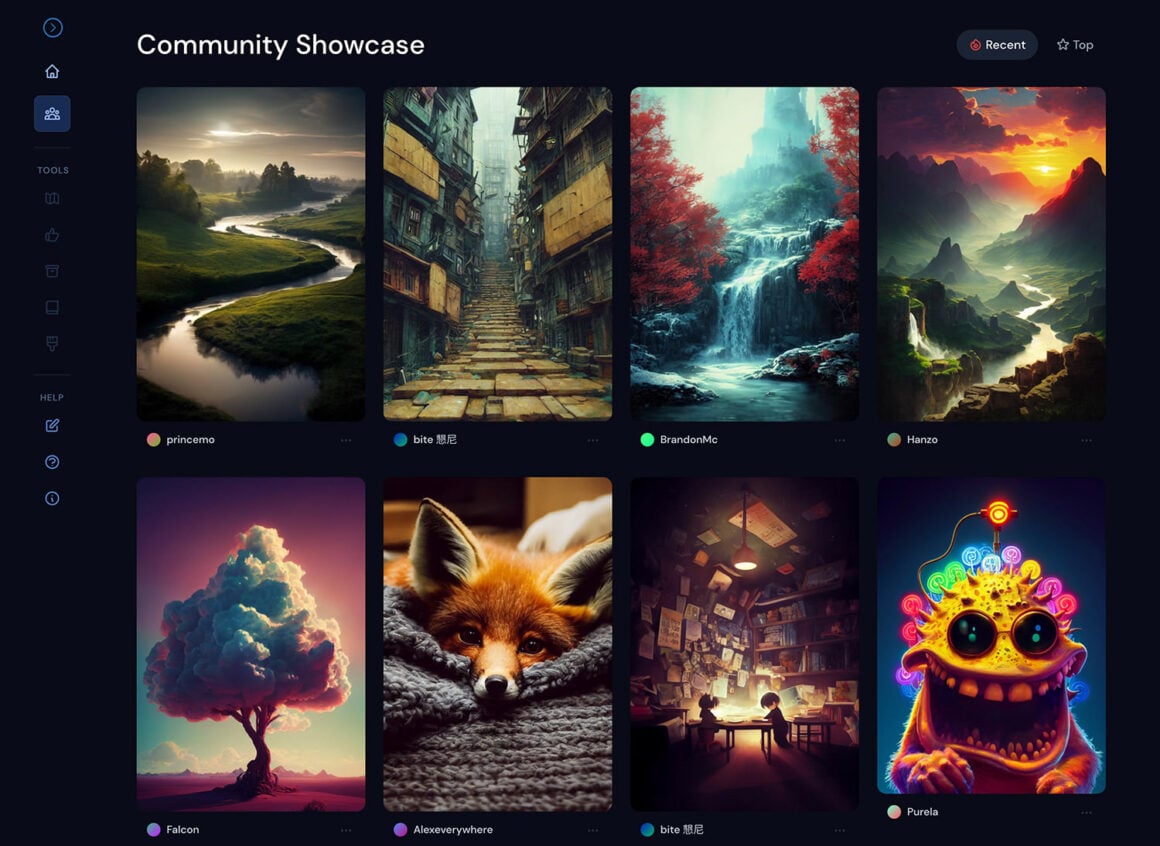
AI-generated art has taken the entire world by storm. Midjourney is at the absolute forefront of this revolution. It creates hyper-realistic images from simple text-based prompts. Many artists view it as the best tool for content creation and inspiration.
It can generate concept art in a few seconds. This saves hours of manual drawing for initial ideas. The community on Discord is also very active and helpful. It pushes the boundaries of what we call “art” today. Midjourney is a window into a vast, infinite imagination.
Key Features:
- Aspect ratio control for various social media formats.
- “Vary Region” tool for specific, localized image edits.
- Zoom-out features to expand the world around subjects.
- Niji mode is specifically optimized for anime-style art.
Pros:
- The highest artistic quality in the generative market.
- Deeply customizable parameters for advanced, technical users.
- Very active Discord community for learning new techniques.
Cons:
- No dedicated web interface; operates through Discord only.
- Privacy is limited unless you pay for “Stealth” mode.
Pricing: Basic plan starts at $10 per month.
9. Notion: The Central Nervous System
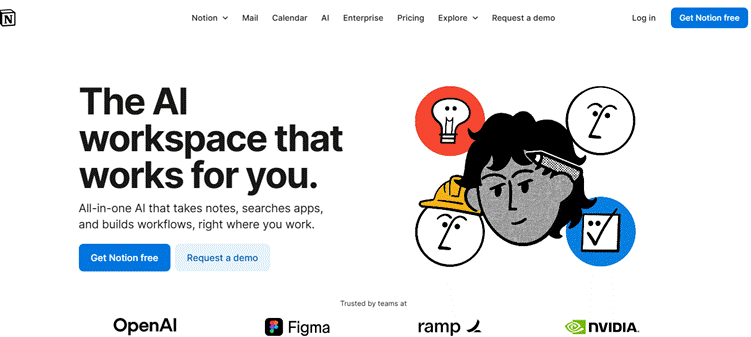
A disorganized creator is a stressed and unhappy creator. You need a “second brain” to manage your projects. Notion is the ultimate workspace for modern digital artists. It combines notes, databases, and tasks into one app. It is definitely one of the best content creation tools.
You can plan your entire content calendar within Notion. It allows for seamless collaboration with your growing team. The flexibility of the platform is its greatest strength. You can build a system that fits your brain. It is one of the best tools for content creators who plan.
Key Features:
- Customizable Kanban boards for tracking content status.
- Integrated AI assistant for summarizing long meeting notes.
- Relational databases for complex, interlinked project tracking.
- Public-facing pages for hosting media kits or wikis.
Pros:
- Infinite flexibility to build your own personal system.
- Replaces multiple tools like Trello, Evernote, and Docs.
- Excellent mobile app for managing ideas on the go.
Cons:
- Initial setup can be very time-consuming for beginners.
- The “blank slate” start can feel quite intimidating.
Pricing: Free; Plus is $8 per month per user.
10. Buzzsprout: Effortless Podcast Distribution
Buzzsprout simplifies the technical hurdles of audio hosting. It is a cornerstone of the best content creation tools. The platform handles the “heavy lifting” of RSS feeds. Creators can focus solely on their microphones and guests.
Key Features:
- Magic Mastering for professional, radio-quality audio levels.
- Automatic distribution to Spotify, Apple, and Google Podcasts.
- Dynamic content for inserting mid-roll ads into episodes.
- Visual soundbites for sharing audio clips on Instagram.
Pros:
- A very intuitive dashboard that anyone can understand quickly.
- Excellent educational resources for new, aspiring podcasters.
- Detailed analytics show exactly where listeners are located.
Cons:
- Unused monthly upload hours do not roll over.
- Free plan deletes your episodes after ninety days.
Pricing: Free (limited); Paid plans start at $12 monthly.
11. InVideo: Fast-Track Professional Video
InVideo is perfect for creators who need speed. It provides a massive library of pre-made video templates. This makes it one of the best tools for content creators. You can turn a script into a video instantly.
Key Features:
- An AI Video Editor that suggests clips based on text.
- Over 5,000 professional templates for various industries.
- Intelligent text-to-speech for high-quality, realistic narrations.
- Extensive stock media library from iStock and Storyblocks.
Pros:
- Great for creating YouTube intros and promotional ads.
- Requires no previous video editing experience or skill.
- Cloud-based rendering saves your local computer resources.
Cons:
- The mobile app is less powerful than CapCut.
- Advanced users might find the templates a bit rigid.
Pricing: Free; Plus plan is $15 per month.
12. Surfer SEO: Data-Driven Content Strategy
Ranking on Google requires more than just good writing. Surfer SEO provides the technical data you truly need. It is among the best content creation tools for bloggers. The tool analyzes hundreds of real-time search signals.
Key Features:
- Content Editor with real-time SEO scoring and tips.
- Keyword Research tool to find high-traffic, low-competition terms.
- Audit feature to fix existing pages on your site.
- SERP Analyzer to see exactly what competitors are doing.
Pros:
- Significantly increases the chance of ranking on page one.
- Takes the guesswork out of keyword density and length.
- Excellent integration with Google Docs and WordPress.
Cons:
- The price point is quite high for solo bloggers.
- SEO suggestions can sometimes lead to repetitive writing.
Pricing: Starts at $89 per month for individuals.
13. Murf.ai: Studio-Grade AI Voiceovers
Professional voiceovers can be very expensive and time-consuming. Murf.ai offers a much faster and cheaper alternative today. It is one of the best tools for content creators. The voices sound remarkably human and deeply expressive.
Key Features:
- Selection of over 120 voices in twenty languages.
- Ability to adjust pitch, speed, and emotional emphasis.
- Voice cloning to create a digital version of yourself.
- Built-in video editor to sync audio with visuals.
Pros:
- Saves thousands on hiring professional voice acting talent.
- Very easy to update scripts without re-recording audio.
- Consistent quality across all your different media projects.
Cons:
- Occasional robotic inflections in very technical, complex words.
- The free version does not allow for downloads.
Pricing: Free; Basic plan is $19 per month.
14. AnswerThePublic: The Consumer Insight Tool
What is your audience actually searching for right now? You shouldn’t have to guess these important answers. AnswerThePublic visualizes search questions and common phrases for you. It is one of the best content creation tools for research.
It reveals the “who, what, where, and why” of topics. This helps you create content that people actually want. It is a goldmine for SEO-driven blog posts and videos. Understanding your audience is the first step toward success. Never create in a vacuum without real-world data.
Key Features:
- Visualization of questions (Who, What, Why, How).
- Comparison of related search terms and popular prepositions.
- Daily search monitoring for the latest trending topics.
- Global data across multiple languages and different regions.
Pros:
- Provides a nearly infinite supply of content ideas.
- Helps you understand the “intent” behind every search.
- Very simple and visually engaging way to see data.
Cons:
- The free search limit is very low each day.
- Data can sometimes feel a bit noisy or repetitive.
Pricing: Individual plans start at $9 per month.
15. Loom: Instant Video Communication
Loom makes explaining complex ideas incredibly fast and easy. It records your screen and your face simultaneously. It is among the best tools for content creators. It replaces long, confusing emails with personal video messages.
Key Features:
- Instant link sharing for recorded videos after finishing.
- Interactive features like emoji reactions and viewer comments.
- Automatic transcription for better accessibility and searchability.
- Basic video editing to trim the start and end.
Pros:
- Enormously time-saving for internal team or client communication.
- Adds a personal, human touch to digital interactions.
- Very reliable browser extension and mobile app versions.
Cons:
- Free plan limits videos to five minutes each.
- Not intended for high-production, cinematic video content.
Pricing: Free; Business is $12.50 per month.
16. Buffer: The Stress-Free Social Scheduler
Posting manually every day is a recipe for burnout. Buffer allows you to plan your entire social life. It is a cornerstone of the best content creation tools. It ensures your brand stays active while you sleep.
Key Features:
- Multi-platform scheduling for Instagram, X, and LinkedIn.
- An AI assistant to help write and refine captions.
- Landing page builder to showcase your best work.
- Detailed analytics dashboard for tracking audience engagement rates.
Pros:
- Cleanest and most intuitive UI in the scheduling market.
- Very affordable pricing for creators with few channels.
- Excellent customer support and a helpful community blog.
Cons:
- Some advanced features require a higher-tier subscription.
- Direct Instagram Story scheduling can sometimes be finicky.
Pricing: Free for 3 channels; Essentials is $6/channel.
17. Riverside.fm: Local Recording for Global Creators
Remote interviews often suffer from terrible, choppy internet audio. Riverside records every guest locally on their own computer. It is one of the best tools for content creators. This guarantees a studio-quality result every single time.
Key Features:
- Uncompressed 48kHz WAV audio and up to 4K video.
- Automatic AI transcriptions in over one hundred languages.
- “Magic Clips” to turn long episodes into social shorts.
- Producer mode to manage guests without being recorded.
Pros:
- Solves the problem of “internet lag” in recordings.
- Very professional interface for high-end guest appearances.
- Easy to export separate tracks for advanced editing.
Cons:
- The mobile app can be a bit battery-intensive.
- Requires Chrome or Edge for the best performance.
Pricing: Free (limited); Standard is $15 per month.
18. Copy.ai: The Marketing Specialist

Short-form marketing copy requires a very specific, sharp skill. Copy.ai excels at creating catchy, high-converting digital text. It is among the best content creation tools. It helps you build a brand voice that resonates.
Key Features:
- Workflows for automated, multi-step marketing tasks.
- “Brand Voice” tool to ensure consistent messaging at all times.
- Over 90 tools for social media, ads, and emails.
- Chat interface for real-time writing and editing help.
Pros:
- Excellent for overcoming “marketing writer’s block” very quickly.
- Generates a huge variety of creative options instantly.
- Very simple to use for non-technical business owners.
Cons:
- Not suitable for writing long, deeply researched articles.
- Requires careful tweaking to avoid sounding too “salesy.”
Pricing: Free; Pro plan is $36 per month.
19. Figma: Designing the Digital Future
Design is no longer an isolated, solo artistic task. Figma allows teams to collaborate in one digital space. It is one of the best tools for content creators. It is the gold standard for web and app design.
Key Features:
- Real-time co-editing for multiple designers on one file.
- Prototyping tools to see how apps feel before coding.
- “FigJam” for whiteboarding and early-stage creative brainstorming.
- Extensive community-made plugins for almost any task.
Pros:
- The most powerful collaborative design tool in existence today.
- The browser-based system works perfectly on Mac or PC.
- The free version is incredibly generous for individual creative designers.
Cons:
- The learning curve can be steep for non-designers.
- Requires a constant, stable internet connection to function.
Pricing: Free; Professional is $12 per editor monthly.
20. Synthesia: The AI Video Presenter
Being on camera is not for everyone. Synthesia uses AI avatars to deliver your unique message. It is a revolutionary choice among the best content creation tools. You simply type, and the avatar speaks fluently.
Key Features:
- Over 140 diverse AI avatars with natural-looking motion.
- Support for over 120 languages and different dialects.
- Custom avatar creation to make a digital “you” today.
- Easy-to-use video editor with slides and media assets.
Pros:
- Eliminates the need for cameras, lights, and studios.
- Perfect for global training videos and product explainers.
- Updating a video is as easy as editing text.
Cons:
- The avatars can occasionally look slightly, noticeably robotic.
- Expensive for those who only need occasional videos.
Pricing: The starter plan is $22 per month.
21. DaVinci Resolve: Cinematic Mastery for Free
Do you want your videos to look like Hollywood? DaVinci Resolve is the answer to your cinematic prayers. Its color-grading tools are the best in the world. Many professional films are edited using this software. It is widely hailed as the best content creation tool for video.
Surprisingly, there is a very powerful free version available. It allows you to learn professional skills without cost. The interface is complex but logically laid out for users. If you are serious about video, download it today. It will elevate your production value to new heights.
22. Typeform: Engaging Your Audience with Style
Feedback is a gift that every creator should cherish. However, most surveys are incredibly boring and very ugly. Typeform makes the process of asking questions quite beautiful. It is one of the best content creation tools for data.
The “one question at a time” format is engaging. It leads to much higher completion rates for your forms. You can use it for quizzes or lead generation. A beautiful form reflects a professional and caring brand. Get to know your audience with style and grace.
23. Substack: The Home for Independent Writers
Newsletters are experiencing a massive and powerful global revival. Substack allows writers to build a direct, paid audience. It is one of the best tools for content creators who write. You own your email list and your own content.
There are no algorithms to please on this platform. You simply write for the people who love you. It offers a very simple way to monetize your skills. Substack is the future of independent, high-quality digital journalism. It empowers the individual in a sea of platforms.
24. Capsho: AI Copywriter for Expert Creators
Do you struggle with writing show notes for podcasts? Capsho is an AI tool designed specifically for this task. It listens to your audio and creates marketing assets. This makes it one of the best content creation tools for the time being.
It generates captions, emails, and even entire blog posts. This allows you to focus on the actual recording. It acts like a highly efficient digital marketing assistant. Every podcaster needs this level of automated support today.
25. Trello: The Visual Way to Manage Projects
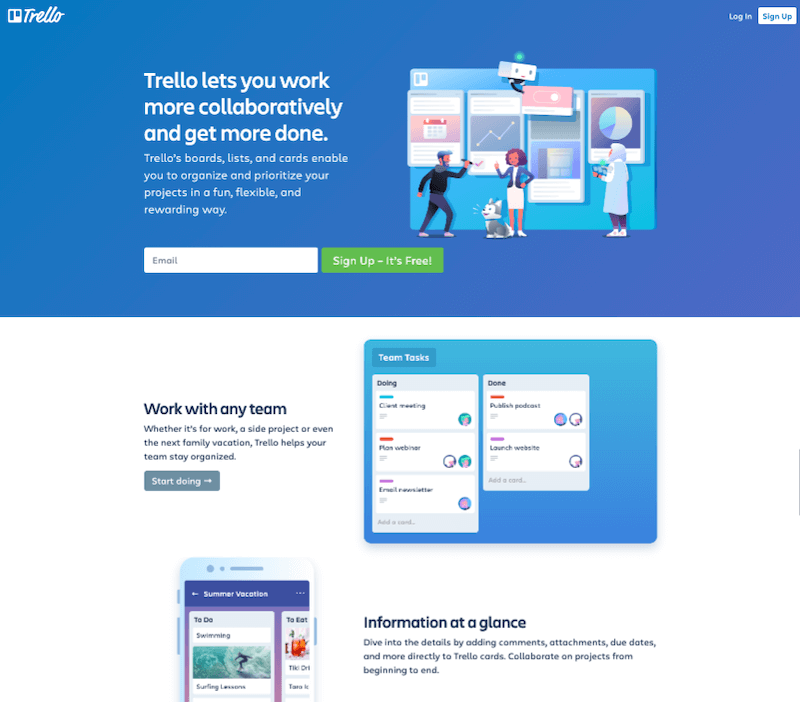
If Notion is too complex, try the simplicity of Trello. It uses a “Kanban” board system to track progress. It is one of the best content creation tools for workflow. You move cards from “To Do” to “Done.”
This visual progress is very satisfying for many people. It is great for managing a content pipeline individually. You can attach files and deadlines to every card. Trello keeps your eyes on the prize at all times. Simplicity is often the ultimate form of creative sophistication.
Challenges of AI Content Creation
While AI is powerful, it is not perfect. Creators must navigate several difficult technical hurdles. Here are seven challenges you might face today.
1. The Loss of the Unique Human Touch
AI can sometimes feel a bit cold. It lacks true lived experience and raw emotion. Content can start to sound somewhat repetitive. Readers crave authenticity and real-world human stories. You must inject your personality into every piece. Don’t let the machine drown out your voice.
2. Issues with Accuracy and Fact-Checking
AI models sometimes “hallucinate” false and incorrect facts. They might present errors as absolute truths. This can damage your brand’s hard-earned reputation. Always verify every statistic and quote you use. Responsibility for the truth remains with the creator. Trust is much easier to lose than to gain.
3. Ethical Concerns and Copyright Dilemmas
The legal status of AI art is complex. Who owns an image generated by a prompt? There are ongoing debates about fair use today. Using AI can sometimes lead to copyright strikes. Stay informed about the latest digital laws. Ethical creation is the only sustainable path.
4. The Danger of Creative Laziness
Relying too much on AI can dull skills. You might stop learning how to write well. Over-automation leads to uninspired and generic work. Use the best content creation tools as assistants. They should never be your only creative source. Keep pushing your own personal artistic boundaries.
5. Maintaining a Consistent Brand Voice
AI tools often have their own default styles. This can clash with your established brand persona. It takes effort to train AI on your voice. Inconsistent messaging confuses your loyal audience. Ensure every tool aligns with your core values. Consistency is the foundation of digital trust.
6. Dependence on Ever-Changing Algorithms
Social platforms change their rules very frequently. A tool that works today might fail tomorrow. Relying on a single platform is very risky. Diversify your toolset and your distribution channels. Adaptability is a key skill for every creator. Stay agile in a shifting digital world.
7. The Initial Learning Curve for New Tech
Mastering twenty tools takes a lot of time. Each platform has its own unique quirks. It can be overwhelming to learn everything at once. Start small and master one tool every month. Patience is required for long-term technical mastery. Education is a continuous, lifelong creative journey.
How to Create Content with AI Tools: Step-by-Step Guide
Building a workflow is the key to success. You need a repeatable system for your brand. Follow these steps to maximize your efficiency.
Step 1: Research and Strategic Ideation
Start by using AnswerThePublic for topic ideas. Find out what your audience is asking. Use ChatGPT to create a detailed outline. This provides a solid structure for your project. A good plan prevents wasted time later.
Step 2: Drafting the Core Content
Use Jasper AI to write your first draft. Focus on the main points and your message. Then, use Grammarly to fix any grammar errors. This ensures your writing is clear and professional. The draft is the skeleton of your work.
Step 3: Designing Stunning Visuals
Head over to Canva or Adobe Firefly. Create a thumbnail that grabs people’s attention. Use Midjourney if you need unique, artistic images. High-quality visuals increase your click-through rate. Make your brand look truly world-class.
Step 4: Editing and Refining the Media
If you are making a video, use Descript. Edit the audio and remove any “um” sounds. Use CapCut for final filters and trendy effects. This gives your video a professional, polished finish. Detail is what separates pros from amateurs.
Step 5: Distribution and Growth Tracking
Schedule your posts using Buffer for the week. This keeps your social media active while you rest. Use Surfer SEO to optimize your blog post. Track your results and see what worked best. Constant improvement is the only way to grow.
Conclusion: Your Journey Starts Now
The digital world is full of infinite creative opportunities. You have the vision, and now you have the tools. Choosing the best content creation tools is the first step. The next step is simply to start the work.
Don’t wait for the “perfect moment” to begin. Use what you have and learn as you go. Your audience is out there, waiting for your voice. Go forth and create something absolutely wonderful and unique. The future belongs to those who dare to make.

I’m Bipasha Zaman, a dedicated Content Writer with a passion for crafting clear, engaging, and impactful content. I specialize in creating blogs, and articles, that inform, inspire, and connect with readers. My goal is to deliver content that adds value, and ells stories effectively. I have worked across diverse niches, consistently delivering high-quality content that builds brand authority and strengthens online presence.