
images 33

No reviews yet

[begindot_kkstarratings]

OBS Studio Review (2026): Pricing, Pros & Cons

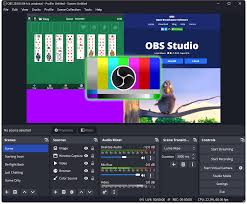
OBS Studio is an open-source software application used for live streaming and video recording, featuring a wide range of functionality including scene composition, encoding, recording, and broadcasting on platforms such as Twitch, YouTube, and Facebook.

0%
Ease of Use
92%
Features
93%
Value For Money
95%
Customer Support
92%

What is OBS Studio?

OBS Studio is an open-source software suite for recording and live streaming. It enables users to capture video from various sources, including cameras, screens, and applications. With its robust feature set and customizable interface, OBS Studio is a go-to choice for streamers and content creators alike. Many people use it for game streams, live events, and tutorials. This tool lets you mix audio and video in real-time.

Why Choose OBS Studio?

Many users choose OBS Studio for its flexibility. You can set up multiple scenes for different needs. Each scene can have its own layout. This helps in making each stream unique. The software supports plugins. Plugins add new features to enhance your stream. For instance, you can find tools for advanced audio control.

Current trends show that live streaming is on the rise. A report from Statista states that over 80% of users prefer video content. This makes tools like OBS Studio more important than ever. It allows you to create high-quality streams. The setup process is simple and quick. This is why many new users choose it.

What Is OBS Studio Good For?

OBS Studio is excellent for several tasks. It is a tool for both live streaming and recording. This software is free and open-source. It works well for many users.

  • ✔️ Live Streaming: Stream on platforms like Twitch and YouTube.
  • ✔️ Recording: Capture high-quality videos for later use.
  • ✔️ Multiple Sources: Combine video, audio, and images in one broadcast.
  • ✔️ Customization: Use various plugins to enhance functionality.
  • ✔️ Scene Switching: Effortlessly transition between different layouts.

OBS Studio shines in live streaming. It supports popular platforms like Facebook and Mixer. Many streamers trust it for its ease of use. You can set up your stream with just a few clicks.

Who Should Use OBS Studio?

OBS Studio is ideal for:

  • Gamers: Stream gameplay to engage viewers.
  • Educators: Create tutorials and online classes.
  • Businesses: Host webinars or product demos.
  • Creatives: Produce artistic livestreams or performances.

Many types of users can find great value in OBS Studio. This tool is free and open-source. It allows users to create high-quality streams and recordings. Gamers love it for its ease of use. They can share their skills live with fans.

For educators, OBS Studio offers a chance to reach more students. They can make lessons fun and engaging. It is easy to add slides or videos to a stream. This makes learning more interactive.


OBS Studio Company Details

OBS Studio is developed by the OBS Project, a non-profit group. Hugh Bailey is the founder of OBS Studio. It was launched in 2012 to address the burgeoning need for live streaming and recording. The U.S.-based project quickly positioned itself as a central tool in the content creation space. A big thanks to its open source nature and robust feature set tailored for capturing, mixing, and broadcasting content across multiple platforms. This group is made up of many skilled volunteers. They work hard to keep the software up to date. The project is driven by community work. This means users can help shape the tool. Their input makes the tool better over time. This is why many choose OBS Studio for their streaming needs. The open-source nature of OBS Studio allows for wide use. Anyone can download it for free. This broad access helps it gain a big user base. Many users share tips and tricks. They help each other improve their skills. For example, many forums discuss best practices. This helps new users learn fast. It also keeps the community strong.

Company Name: OBS Studio

CEO Name: Nik Boldrini

Est Year: 2012

Employees: 2-10 employees

HQ Location: Netherlands

1517358290141
Nik Boldrini
CEO

OBS Studio Top Features

Open Source

OBS Studio offers transparency and flexibility through its open source nature.

Multi-Platform Support

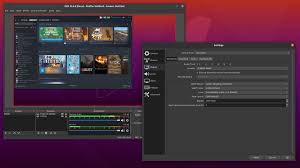
It caters to a wide audience with compatibility across Windows, MacOS and Linux.

Customizable Interface

Tailor your workspace to your preferences for seamless streaming.

Scene Transitions

Effortlessly transition between scenes for professional-quality broadcasts.

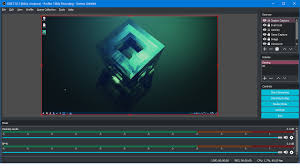
Audio Mixer

Fine-tune audio levels with precision for a polished sound.

Streamlined Recording

Capture high-quality video with customizable settings and formats.

Studio Mode

Perfect your stream with real-time preview and editing.

Plugin Support

Extend functionality with a huge library of community-developed plugins.

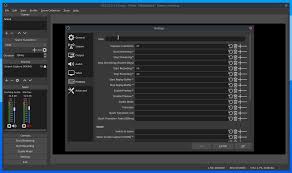
Advanced Settings

Dive deep into customization with a wealth of advanced settings options.

Active Community

Join a vibrant community of users and developers for support and collaboration.

Pros of OBS Studio

  • Open-source, free software.
  • Multiplatform compatibility.
  • Customizable interface and scenes.
  • Powerful audio mixing capabilities.
  • Extensive plugin support.
  • Active community for assistance.
  • Cons of OBS Studio

  • Steeper learning curve for beginners.
  • Occasional stability issues.
  • Limited built-in effects and transitions.
  • Requires manual updates for new features.
  • Lack of official customer support.
  • OBS Studio Pricing

    OBS Studio, an open source broadcasting software, is a jewel for content creators. It’s free to use, making it accessible to everyone. There are no hidden costs or subscriptions, ensuring transparency and affordability. With OBS Studio, users get powerful features like real-time video/audio capture, scene switching, and live streaming support without breaking the bank. It’s a budget-friendly solution for creating professional-quality content.

    OBS Studio Price Comparison

    Compare price of OBS Studio With some of the top competitors.
    DaVinci Resolve
    Blackmagic Design logo
    Final Cut Pro
    Final Cut Pro logo
    Sony Vegas Pro
    images 19 1
    Streamlabs OBS
    png clipart black and white logo open broadcaster software streaming media streamlabs twitch github donate text logo 1
    Twitch Studio
    images 82 1
    Adobe Premier Pro
    Adobe Premier pro logo
    Adobe After Effects
    Adobe After Effects Logo
    XSplit
    png transparent xsplit logo thumbnail tech companies 1
    Zoom
    images 7 2
    Munch
    Munch Logo

    OBS Studio Alternatives

    png clipart black and white logo open broadcaster software streaming media streamlabs twitch github donate text logo 1

    Streamlabs OBS

    BeginDot Score | 92.25%
    Streamlabs OBS is a comprehensive streaming software developed...
    images 82 1

    Twitch Studio

    BeginDot Score | 92.75%
    Twitch Studio is a streaming software developed by...
    png transparent xsplit logo thumbnail tech companies 1

    XSplit

    BeginDot Score | 92%
    XSplit is a software company known for its...

    User Reviews

    0.0
    0.0 out of 5 stars (based on 0 reviews)

    There are no reviews yet. Be the first one to write one.

    What Kind of Support OBS Studio Offers?

    OBS Studio offers comprehensive support to ensure smooth operation and troubleshooting. Their dedicated support team provides timely guidance, addressing questions and technical issues in a timely manner. With a commitment to customer satisfaction, OBS Studio ensures a reliable and hassle-free experience for content creators and streamers alike.
    Forum & Ticket
    Tutorial Videos & Documentation
    Tutorial Video & Help Documentation

    OBS Studio FAQs

    OBS Studio is a legitimate open-source broadcasting software that was founded in 2012 by Hugh Bailey. It is widely recognized for its comprehensive features that facilitate live streaming and recording, making it a trusted choice among content creators, gamers, and professionals worldwide.
    OBS Studio is available for free, with no hidden costs or subscriptions, making it an extremely valuable tool for users who want to create professional-quality content without making a financial investment. Its robust functionality and easy-to-use interface provide significant value without the need for payment.
    OBS Studio offers extensive integration capabilities, allowing users to efficiently distribute content across multiple platforms. While specific integrations may vary, OBS Studio’s flexibility and powerful features make it compatible with a wide range of content creation and live streaming tools, enhancing its value to users.
    OBS Studio supports high-definition streaming by providing advanced video and audio capture capabilities that ensure users can produce and broadcast high-quality content. This includes support for multiple resolutions and frame rates to meet the demands of professional live streaming.
    Yes, OBS Studio can be used to record offline video. It provides powerful recording features that allow users to create high-quality video content without an Internet connection, which can be edited or uploaded later as needed.
    OBS Studio offers extensive broadcast customization options, including scene transitions, audio mixing, and source filters. These allow creators to tailor their broadcasts to their preferences and enhance the viewer experience.

    Platforms Supported

    Review Method

    At BeginDot, we go through each product in detail so that we can prove the most authentic information to our audience. We try the products, go through documentation, do research in user sentiments before adding our final recommendation. 

    Affiliate Disclosure: BeginDot is reader-supported. When you buy through links on our site, we may earn an affiliate commission.

    Did You Find This OBS Studio review Helpful?

    Don’t forget to write a review.